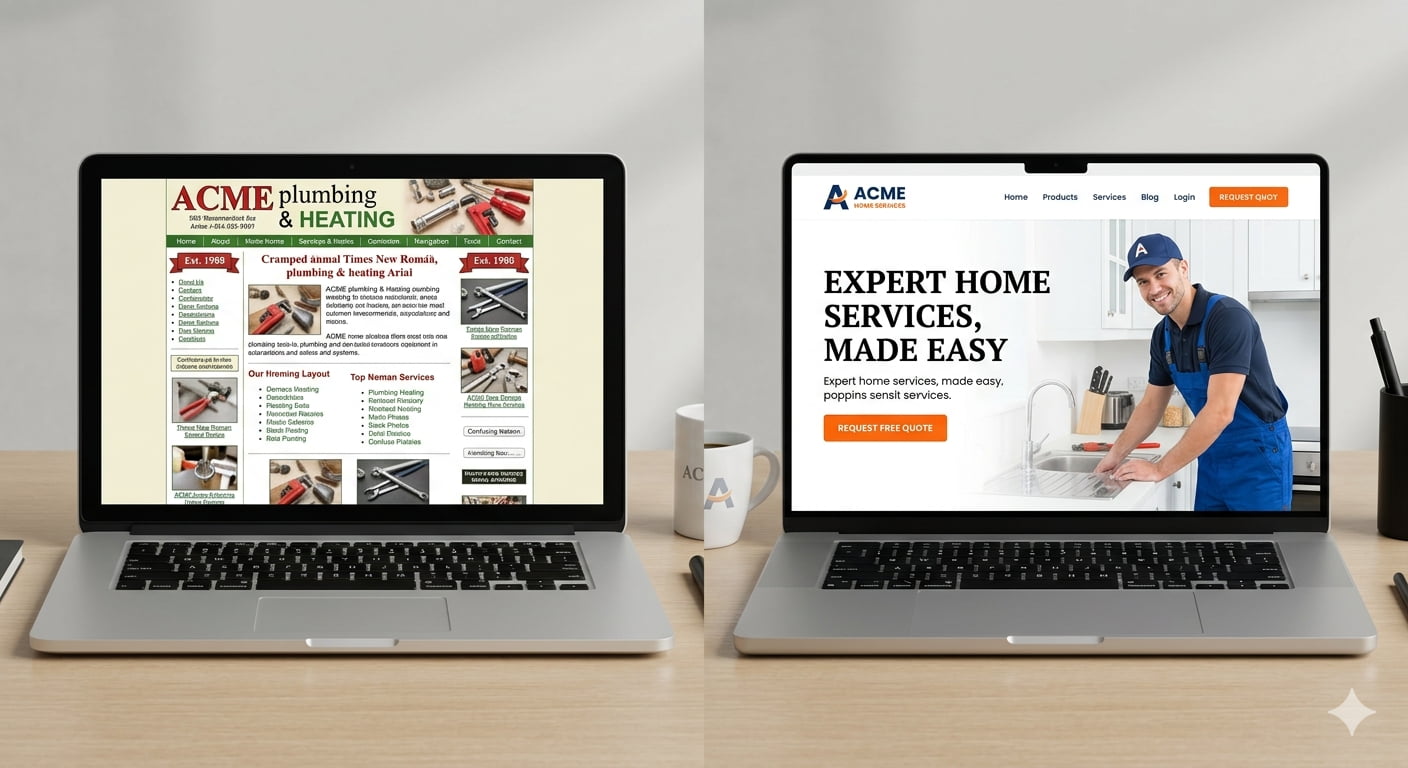
How Design & Performance Work Together: The Secret to a High-Converting Website
Introduction: The Battle Between Beauty & Speed
Web design is an art. It’s about visual storytelling, branding, and making an impact. But what happens when the very thing that makes a website visually appealing—images, animations, videos, custom fonts—ends up slowing it down?
Most people think that speed and aesthetics are enemies. Either you have a blazing-fast website that looks boring, or you have a stunning website that takes forever to load.
But here’s the truth: You don’t have to choose between speed and beauty. You can have both.
A high-converting website is more than just a collection of pretty elements. It’s a fine-tuned machine that keeps visitors engaged while guiding them toward taking action—whether that’s buying a product, booking a service, or signing up for a newsletter.
So, how do you balance beauty and performance? That’s exactly what we’re about to explore.
Why Website Performance Matters More Than Ever 🚀
Let’s start with the facts:
📌 53% of visitors leave if a website takes longer than 3 seconds to load.
📌 A 1-second delay can lower conversions by 7%.
📌 Google considers page speed a ranking factor, meaning a slow website = lower SEO rankings.
It doesn’t matter how great your design is—if your website loads too slowly, nobody will stick around to see it.
Think about it: You’ve probably clicked on a website before, only to immediately leave because it took too long to load.
Speed isn’t just a technical concern—it’s a business killer. A slow website = lost customers, fewer sales, and missed opportunities.
But here’s the challenge: If you strip your website down too much for the sake of speed, you risk making it look boring, outdated, or unprofessional.
That’s why the secret isn’t choosing one over the other—it’s optimizing both.
The Problem with Overloading Your Website with Graphics & Features
A website should be visually appealing, but not at the cost of performance.
Too often, web designers (or business owners) make the mistake of adding everything they possibly can—huge high-resolution images, fancy animations, tons of custom fonts, and background videos.
At first glance, this seems like a great idea—the site looks stunning. But then reality hits:
⏳ The website takes forever to load.
📉 Users leave before they even see the homepage.
❌ Conversions drop because people don’t have the patience to wait.
Take a moment and think about this:
Would you rather have a website that looks “okay” and gets 50% more conversions, or a website that looks amazing but only 10% of visitors actually wait for it to load?
Design isn’t just about aesthetics—it’s about functionality. A website that is beautiful but slow and frustrating to use is not a good design.
So how do you fix this?
The answer: Smart, strategic optimization.
How to Optimize Your Website Without Sacrificing Design
You don’t have to choose between speed and beauty—you just need to optimize the right way. Here’s how to keep your website looking great while making it lightning-fast.
1. Optimize Your Images Without Losing Quality
Images are one of the biggest culprits behind slow load times. But you can’t just remove them—visuals are what make a website engaging. Instead, do this:
✅ Compress images using tools like TinyPNG or ShortPixel.
✅ Use next-gen formats like WebP instead of PNG or JPEG (smaller file sizes, same quality).
✅ Lazy load images so they only load when needed, not all at once.
🔹 Example: Instead of using a 4MB background image, compress it to 300KB or less without losing noticeable quality. The result? Your site still looks great, but loads 10x faster.
2. Be Smart About Fonts & Icons
Custom fonts and icons add personality to your brand, but they can also slow down your site. Instead of loading 10 different font styles, try this:
✅ Stick to 2-3 fonts max (One for headings, one for body text, one for accents if necessary).
✅ Use system fonts where possible (they load instantly).
✅ Only load the weights you need (Do you really need “Thin,” “Light,” “Medium,” and “Bold”? Probably not).
🔹 Example: Instead of loading 5 different Google Fonts, use 2 and watch your site speed up instantly while still looking stylish.
3. Minimize Animations & Effects
Animations and parallax effects make websites feel alive, but too many can slow things down. Here’s how to keep the magic without the lag:
✅ Limit animations to essential interactions (like hover effects, subtle fades, or small transitions).
✅ Use CSS animations instead of JavaScript-heavy ones.
✅ Avoid auto-playing videos unless absolutely necessary.
🔹 Example: Instead of a massive animated homepage with five different moving elements, use a subtle text fade-in effect. It still looks modern but loads way faster.
4. Clean Up Your Code & Plugins
Your website might be slower than it should be because of bloated code and too many plugins.
✅ Remove unnecessary plugins—only keep the ones you truly need.
✅ Minify and combine CSS & JavaScript files.
✅ Use a lightweight theme instead of one packed with unnecessary features.
🔹 Example: Instead of using 10 plugins for different small features, find one or two that can do multiple things efficiently. Your website will load much faster.
5. Use a Fast & Reliable Hosting Provider
Even the best-optimized website can’t overcome bad hosting. Your web host determines how fast your server processes requests, loads content, and delivers your site to visitors.
✅ Choose a hosting provider with fast response times (e.g., SiteGround, Kinsta, Cloudways).
✅ Use a CDN (Content Delivery Network) like Cloudflare to load your site from the closest data center to each visitor.
✅ Optimize your database regularly to remove junk data.
🔹 Example: Switching from cheap shared hosting to a high-performance hosting provider can cut your load time in half, instantly boosting conversions and SEO.
The Perfect Balance: A Website That Looks Amazing & Loads Instantly 🚀
When you find the right balance between visuals and speed, your website will:
✅ Look modern and professional without unnecessary bloat.
✅ Load in under 3 seconds, keeping users engaged.
✅ Rank higher on Google, thanks to better performance.
✅ Convert more visitors into customers because they don’t get frustrated and leave.
Final Thought: Make Every Element Count
Every image, font, effect, and design choice should have a purpose. If something doesn’t enhance user experience or conversions, it’s probably slowing you down for no reason.
The best websites are not just the most beautiful—they are the most effective.
🚀 Work With Me & Get the Best of Both Worlds!
If you want a stunning website that loads at lightning speed, I can make that happen. 🎨⚡
🔹 Custom web design that looks incredible & converts visitors into customers
🔹 Optimized for speed, SEO, and user experience
🔹 Designed to reflect your brand & grow your business
👉 Let’s turn your vision into reality. Contact me today! 🚀